Help Center / Managing Episodes
Episode Details Page
View transcripts, speakers, and metadata
The episode details page gives you access to all information about a specific episode.
Page Layout
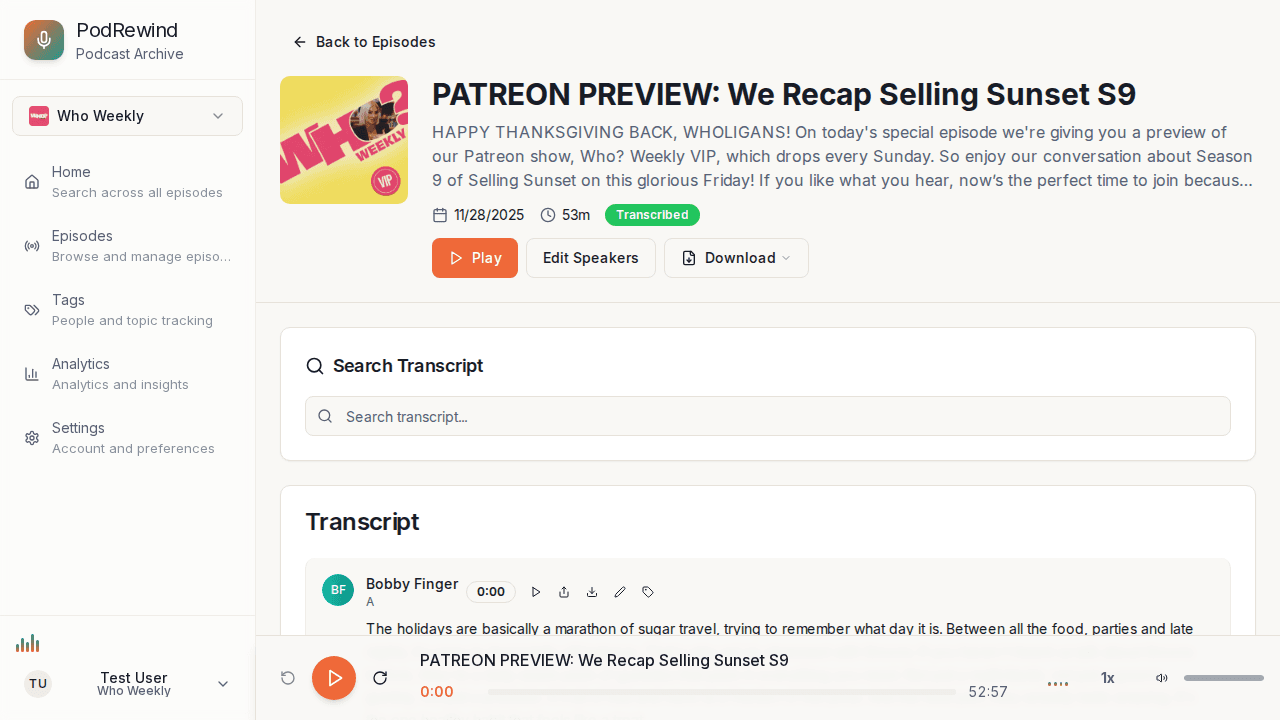
The episode page includes:
- Episode header - Title, date, and podcast info
- Audio player - Play and control audio
- Transcript viewer - Full episode transcript with speaker labels
- Export options - Download transcript in various formats
- Episode metadata - Duration, word count, etc.
Audio Player
The integrated audio player allows you to:
- Play/pause the episode
- Skip forward or backward
- Adjust playback speed
- Jump to specific timestamps
Transcript Viewer
The transcript panel shows:
- Timestamped segments - Click to jump to that moment
- Speaker labels - Color-coded by speaker
- Highlighted search terms - When navigating from search
What's Next?
- Reading Transcripts - Learn transcript features
- Player Controls - Master the audio player