Help Center / Audio Playback
Player Controls
Play, pause, skip, and adjust speed
Control audio playback with the integrated audio player.
Basic Controls
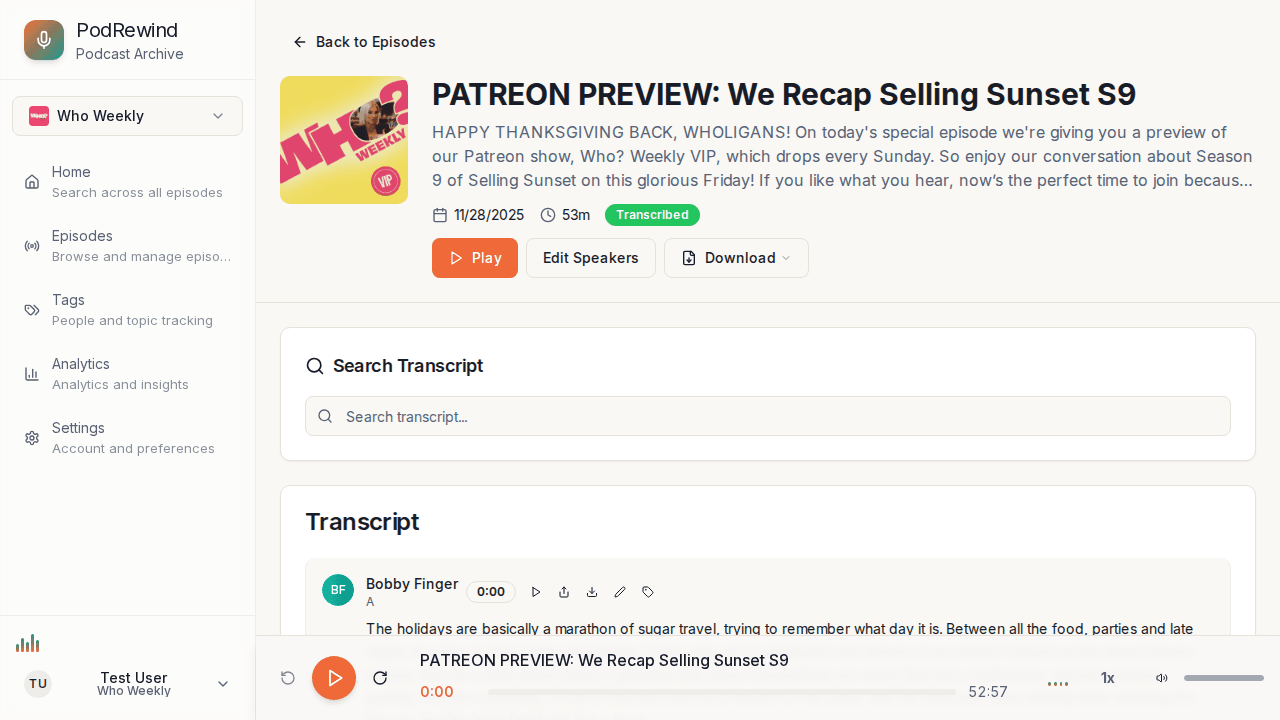
The audio player includes:
- Play/Pause - Start or stop playback
- Skip back - Jump 10 seconds back
- Skip forward - Jump 10 seconds ahead
- Progress bar - Click or drag to seek
Playback Speed
Click the speed button to cycle through speeds. Your preference is saved automatically:
- 0.5x - Half speed
- 0.75x - Slower
- 1x - Normal speed
- 1.25x - Slightly faster
- 1.5x - Fast
- 1.75x - Faster
- 2x - Double speed
Volume Control
- Click the volume icon to mute/unmute
- Use the slider to adjust volume level
What's Next?
- Transcript Synchronization - Follow along
- Sharing Audio Segments - Share moments