Help Center / Managing Episodes
Browsing Episodes
View and filter your episode library
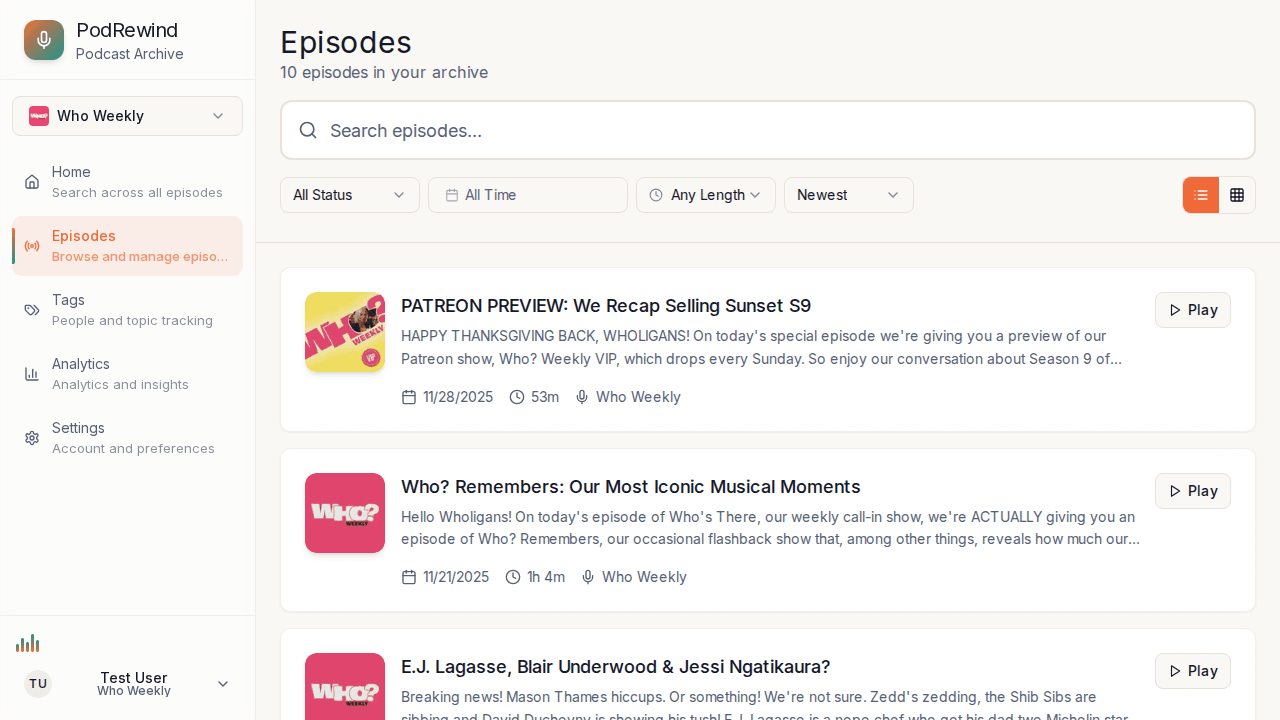
The Episodes page provides a complete view of all episodes in your podcast library.
Episode List
Episodes are displayed as cards showing:
- Episode title and number
- Publication date
- Processing status
- Duration and word count (when available)
Filtering Episodes
Use the filter controls to:
- Filter by podcast - Select a specific feed
- Filter by status - Show only completed or processing episodes
- Sort by date - Newest or oldest first
Episode Actions
For each episode you can:
- Click to view - Open the episode detail page
- Play audio - Listen directly from the list
- View status - See processing progress
What's Next?
- Understanding Processing Status - Learn about episode states
- Episode Details Page - Explore episode features