Help Center / Getting Started
Dashboard Overview
Navigate the main dashboard and search interface
The dashboard is your home base for searching and managing your podcast transcripts.
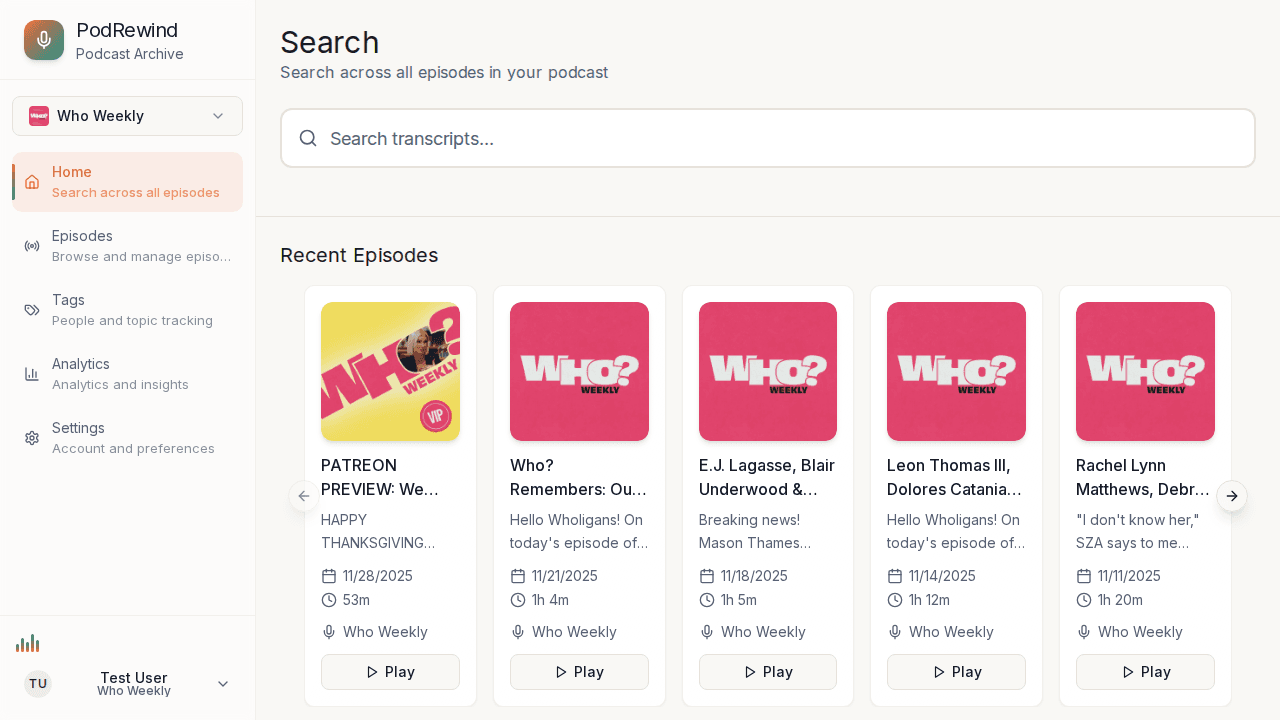
Dashboard Layout
The dashboard consists of:
- Search bar - Search across all transcripts
- Podcast selector - Filter by specific podcasts
- Search results - Matching transcript segments
- Sidebar navigation - Access other features
Using Search
The search box supports:
- Full-text search - Find exact phrases or keywords
- Filters - Narrow by podcast, date, or speaker
- Sorting - Order by relevance or date
Quick Actions
From the dashboard you can:
- Click a result to jump to the episode
- Tag segments for later reference
- Play audio directly from results
- Share specific moments with timestamps
What's Next?
- Using the Search - Master search features
- Browsing Episodes - View your library