Help Center / Tags & Organization
Creating and Managing Tags
Create, edit, and delete tags
Build a tag system to organize your podcast content.
Creating Tags
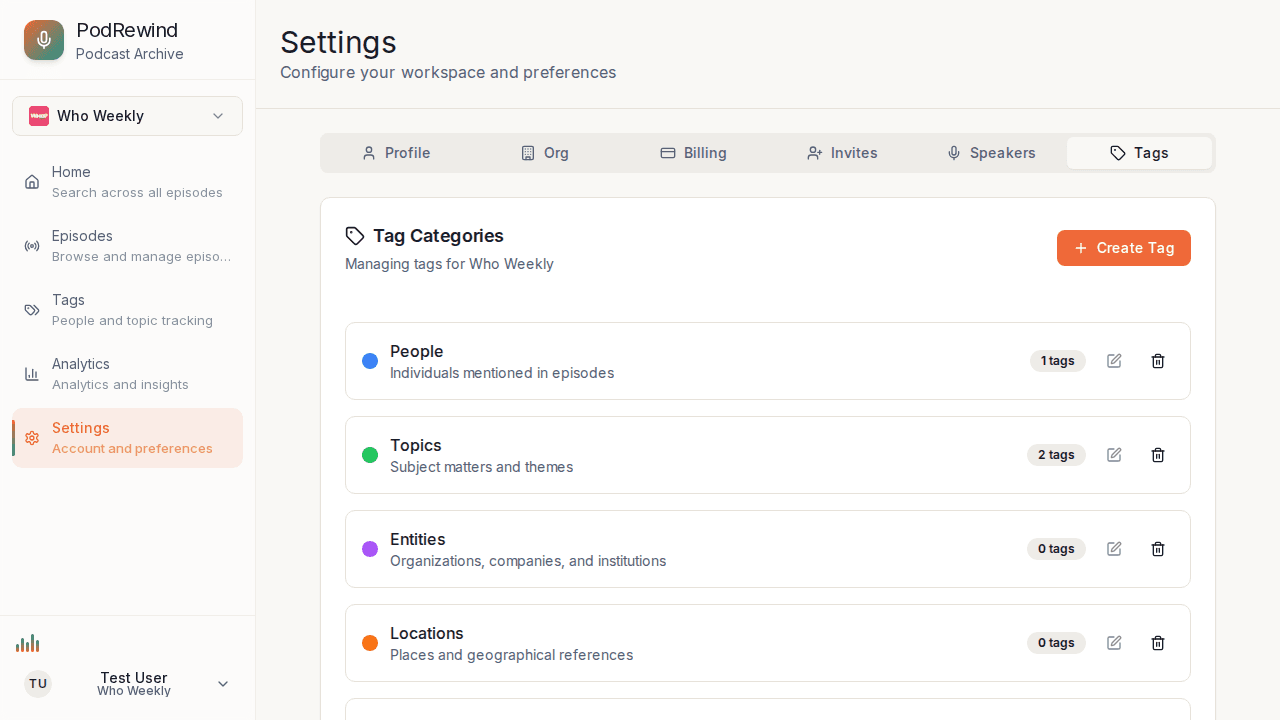
To create a new tag:
- Navigate to Tags in the sidebar
- Click the + Create Tag button
- Enter the tag name
- Select the tag type
- Optionally add a description
- Click Create Tag
Editing Tags
To modify an existing tag:
- Click the tag to select it
- Click Edit
- Update name, type, or description
- Changes apply to all tagged segments
Deleting Tags
To remove a tag:
- Select the tag
- Click Delete
- Confirm deletion
Note: Deleting removes the tag from all segments.
Tag Organization
Tips for organizing tags:
- Use consistent naming conventions
- Choose appropriate tag types
- Add descriptions for clarity
- Review and clean up regularly
What's Next?
- Tagging Transcript Segments - Apply tags
- Filters and Sorting - Filter by tags